

May 1, 2025
Game Tank Godot.
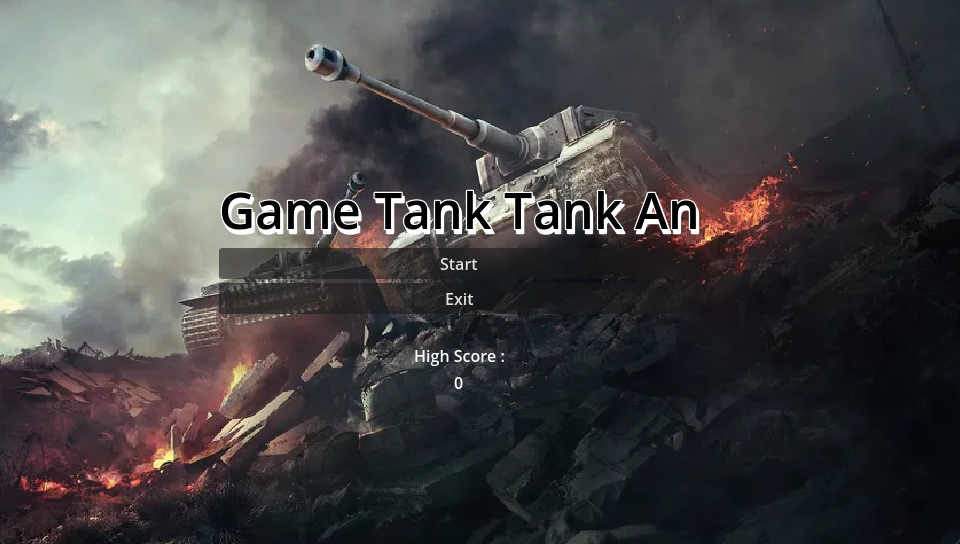
GameA tank battle game developed with the Godot Engine, featuring player controls, shooting mechanics, and game programming fundamentals
Description
Game Tank Godot is a top-down tank battle game built with the Godot Engine to explore core gameplay mechanics. It implements player movement, shooting systems, collision detection, and enemy interaction in a real-time combat setting.
The project doubles as a learning platform for scene management, physics systems, and game logic within the Godot ecosystem.
Background
The game grew out of studying game programming fundamentals hands-on. Rather than only reading about scene trees, input handling, and physics, this project puts those concepts together in a small but complete playable prototype.
Goal
- Build a playable top-down tank combat prototype.
- Practice core game systems: movement, shooting, collisions, and health.
- Understand Godot’s scene management and node-based architecture.
Features
- Tank movement and rotation system
- Shooting and projectile mechanics
- Enemy interaction and collision detection
- Health and damage system
- Real-time keyboard input handling
- Basic game UI implementation
- Modular game object structure with scene management
Technologies
- Godot — game engine handling scenes, physics, and rendering.
- GDScript — primary scripting language for gameplay logic.
- C# — used for selected systems where a typed language fits.
How to Run
# 1. Install the Godot Engine (Mono/.NET build for C# support)
# 2. Open the Godot project manager
# 3. Import the project by selecting project.godot
# 4. Press the Play button (F5) to run the game
Technical Decisions
- Chose Godot for its lightweight, node-based scene system that maps cleanly to game objects.
- Used GDScript for most gameplay logic for fast iteration, with C# where stronger typing helped.
- Kept game objects modular (separate scenes for tank, projectile, enemy) so systems stay reusable and easy to reason about.
What I Learned
- Structuring a game with Godot’s scene and node hierarchy.
- Implementing projectile spawning, collision layers, and damage handling.
- Managing real-time input and simple game state.
Notes
A learning-focused prototype rather than a full game. Future ideas include additional enemy AI, levels, sound effects, and a scoring system.

Hey! I’m Fanny, the software engineer tending to this digital garden. You can read more about me, or subscribe by email.