

April 1, 2020
Pharmacy System.
Backend · FrontendA web-based pharmacy management system built to simplify medicine inventory, sales transactions, and pharmacy operational workflows.
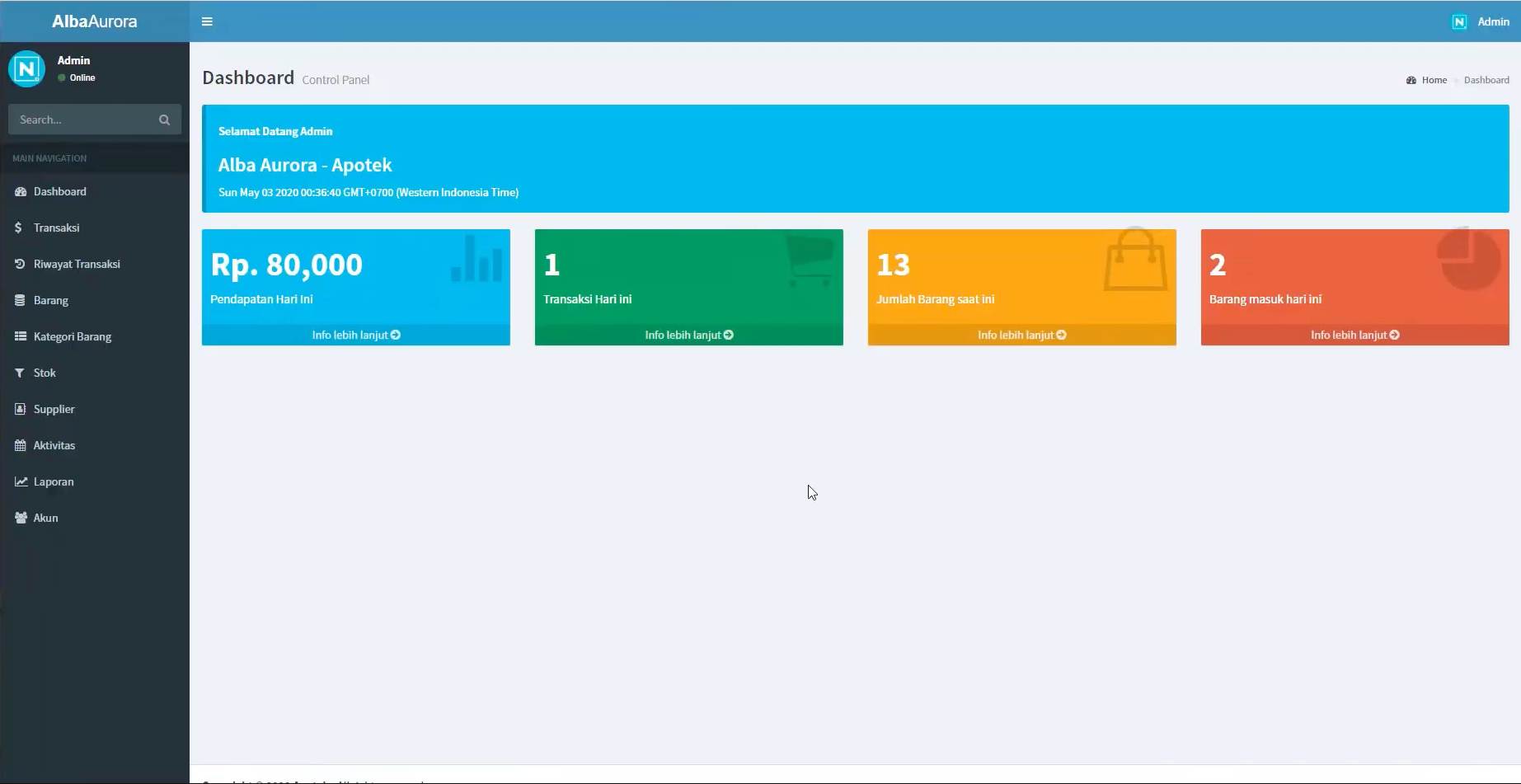
Description
Pharmacy System is a web-based application that brings a pharmacy’s daily operations into a single integrated platform. It covers medicine inventory management, sales and purchase transactions, supplier and customer records, and reporting.
Built with Laravel and Bootstrap, it offers a responsive, user-friendly interface that works across desktop and mobile devices, so staff can manage stock and process sales from wherever they are.
Background
Pharmacies typically juggle stock levels, expiry dates, suppliers, and sales across separate spreadsheets or manual ledgers. That approach is slow, error-prone, and makes it hard to know real stock or catch expired medicine in time. This project set out to replace those fragmented processes with one centralized system.
Goal
- Centralize inventory, sales, and purchasing in a single application.
- Reduce manual bookkeeping errors and give staff accurate stock visibility.
- Track expiring medicine and generate printable reports for day-to-day operations.
Features
- Authentication and role-based access
- Dashboard analytics
- Medicine inventory management
- Stock in and stock out management
- Expired medicine tracking
- Supplier and customer management
- Sales and purchase transaction system
- Invoice generation and transaction history
- Search and filter medicines
- Printable reports
- Responsive admin interface
Technologies
- PHP: core server-side language.
- Laravel: application framework handling routing, ORM (Eloquent ), auth, and validation.
- Bootstrap: responsive UI layout and components for the admin interface.
- jQuery: client-side interactivity, dynamic forms, and AJAX requests.
How to Run
git clone <repository-url>
cd pharmacy-system
composer install
cp .env.example .env
php artisan key:generate
# configure DB credentials in .env, then:
php artisan migrate --seed
php artisan serve
Technical Decisions
- Chose Laravel for its built-in auth, Eloquent ORM, and migrations , which sped up modeling inventory and transactions.
- Used role-based access so pharmacists and admins see only what’s relevant to them.
- Kept the front end on Bootstrap + jQuery for a lightweight, responsive UI without a heavy SPA framework.
What I Learned
- Structuring inventory and transaction data with relational models and Eloquent relationships.
- Implementing role-based authorization in Laravel.
- Building printable reports and handling stock movement logic (stock in/out, expiry).
Notes
Functional inventory and sales management system. Future ideas include barcode scanning, low-stock alerts, and a REST API for integration with POS hardware.
Read the story behind this project: Perjalanan Akademik (in Indonesian).

Hey! I’m Fanny, the software engineer tending to this digital garden. You can read more about me, or subscribe by email.