Proxmox VM Manager.
A centralized dashboard for managing and monitoring dozens of Proxmox servers along with hundreds of virtual machines and containers. Actively used in a production company environment.
Last updated: 3 months ago
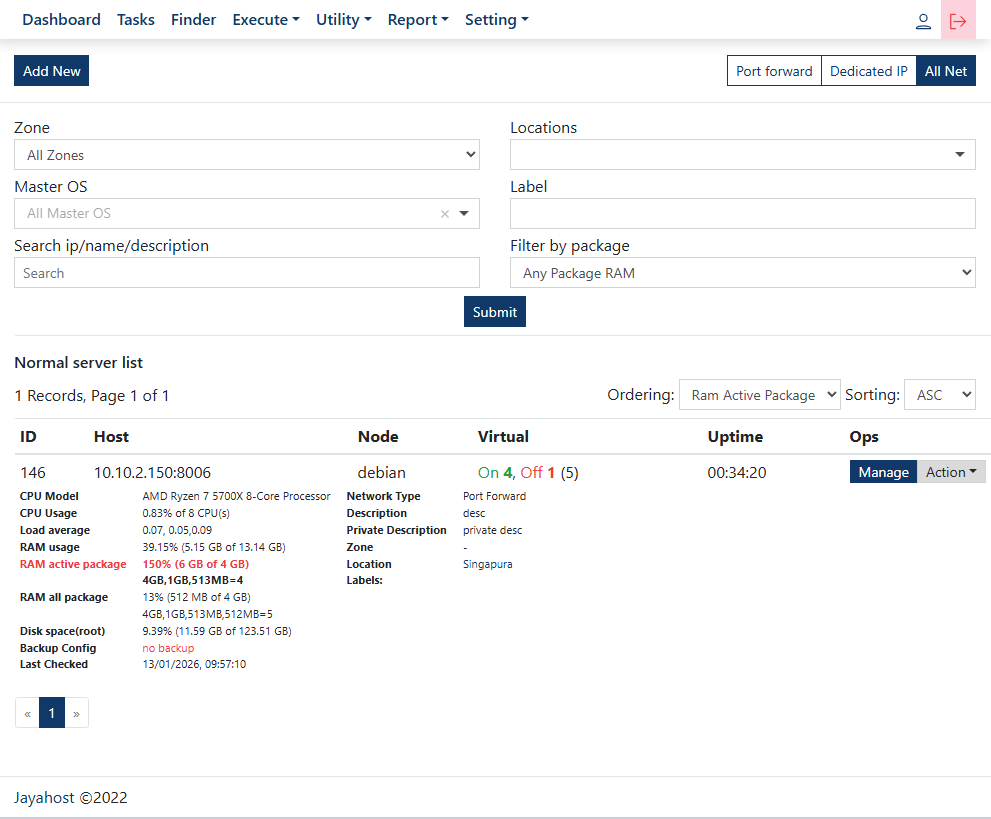
Proxmox VM Manager is a centralized infrastructure management platform designed to simplify the management and monitoring of multiple Proxmox servers, virtual machines (VMs), and containers from a single dashboard.
The system is actively used in a production company environment to handle dozens of Proxmox nodes and hundreds of running virtual instances efficiently.
Built with ExpressJS and NodeJS, the application focuses on automation, operational efficiency, real-time monitoring, and scalable infrastructure management workflows.
The platform integrates directly with the Proxmox API, enabling centralized VM lifecycle management, resource monitoring, remote access, and infrastructure orchestration through a responsive web interface.
- Centralized Proxmox dashboard
- Multi-node Proxmox management
- Real-time VM & container monitoring
- VM lifecycle management
- Container management system
- Resource monitoring (CPU, RAM, Storage, Swap)
- Proxmox API task execution
- VM & container cloning workflow
- Start, stop, reboot, suspend, and resume actions
- Resource upgrade management
- Storage allocation management
- Remote VM console access
- noVNC & SPICE integration
- Export VM/container IP lists
- Responsive and modern UI
- Scalable infrastructure management
- Production-ready architecture
Server Management
Proxmox Node Monitoring
- Monitor multiple Proxmox servers
- View node health and resource usage
- Centralized infrastructure visibility
- Real-time status updates
Resource Management
- CPU allocation monitoring
- RAM & swap management
- Storage management
- Resource scaling workflows
VM & Container Management
VM Operations
- Create VM using clone templates
- Upgrade VM resources
- Start / Stop / Restart VM
- Suspend & Resume VM
- Delete & terminate VM
Container Operations
- Create LXC containers
- Upgrade container resources
- Manage lifecycle operations
- Remove & terminate containers
Network & Access
- Export IP address lists
- Remote VM access
- noVNC console integration
- SPICE remote access support
- Centralized access management
License
MIT License © 2025 FannyDevz